Color Block: Combo Blast
- 4.6
- Rating
- 50.00M
- Installs
- Free
- Price
 Analysis by App-foxy
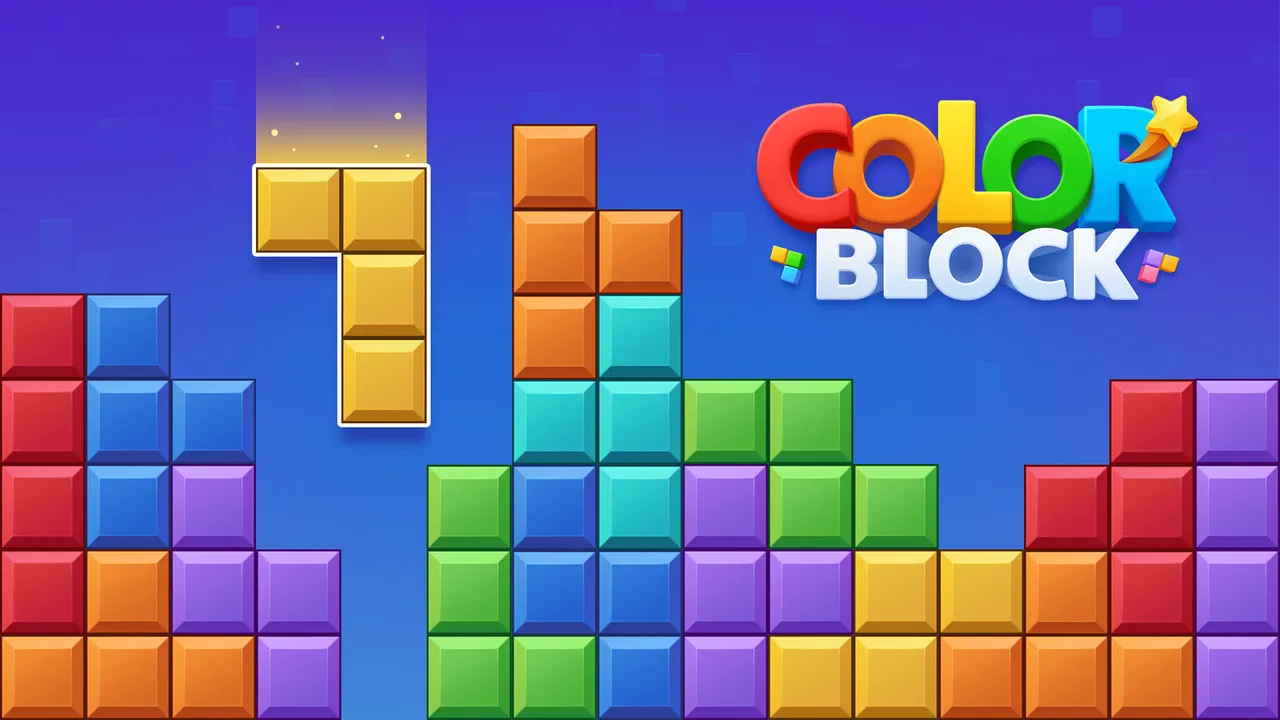
I spent time with Color Block: Combo Blast as a casual puzzle game, and my first impression was that its appeal comes from being easy to understand without being completely mindless. The basic idea is familiar: arrange colored blocks, clear space, and look for combinations that keep the board manageable. That simplicity makes it suitable for short breaks, but it also means your enjoyment depends on whether you like planning inside a small, constantly changing space rather than chasing a story or a large collection of modes.
The game is free, rated for Everyone, and developed by Ivy. It has reached over 10 million installs, with an average rating of 4.6 from around 17 thousand ratings. Those figures suggest that the straightforward format works for a broad audience, although popularity alone does not tell you whether it matches your preferred puzzle style. I would describe it as a good fit for someone who wants a quick block challenge on Android, especially when there is no interest in learning complicated rules.
Getting started without turning a quick game into a setup problem
One of the first things I noticed is that the game’s simplicity can create its own kind of friction. A player expects to open a block puzzle and begin immediately, so any interruption feels more noticeable than it would in a large game. If the first launch takes longer than expected, the board does not appear correctly, or a tap seems delayed, it is easy to assume the game itself is broken. In practice, I would begin with the basics: check that the device meets the minimum requirement of Android 6.0 or later, close other demanding apps, and reopen the game before changing anything more complicated.
You May Also Like

 AccuWeather: Weather Radar
AccuWeather Review: A Quick, Clear Forecast for Everyday Decisions
For everyday plans, the best forecast is the one you can understand quickly. AccuWeather makes rain timing, radar, and local conditions easy to act on, with a few trade-offs.

 Hill Climb Racing
Why Hill Climb Racing Still Turns Crashes Into One More Run
A tiny car, a bumpy hill and one more upgrade: Hill Climb Racing keeps resurfacing because its simple chaos makes every near-miss feel personal.

 AliExpress - Shopping App
AliExpress Makes Global Shopping Feel Personal, but Shoppers Bear the Risk
AliExpress turns a global marketplace into a pocket-sized discovery engine. Its reach is useful, its shopping loop compelling, and its trade-offs easy to miss.

 Lords Mobile: Kingdom Wars
Lords Mobile Is a Kingdom-Building Routine, Not a Quick Match
A case-by-case verdict on the building, battles, device demands, and social commitments that make Lords Mobile rewarding for some players and exhausting for others.

 PDF Scanner app - TapScanner
TapScanner Makes Paperwork Easier to Capture, Check, and Share
TapScanner makes scanning with a phone feel less like a rescue operation and more like a dependable step in getting work done. Its capture tools are useful, though not flawless.

 Block Blast!
 Shows How Much a Puzzle Game Can Leave Out
A quiet grid game shows why puzzle players increasingly value instant clarity, repeatable skill and low-pressure play—and where the genre still needs to catch up.
More From Our News Desk
View All News


The current version is 5.1.7, so keeping the installation current is a sensible first step when the game behaves strangely. I would also avoid judging performance during a moment when the phone is busy installing updates, restoring data, or running with very little free storage. Those checks sound ordinary, but they matter more in a game built around quick taps. A small delay can make a player place a block differently from intended, which is much more frustrating than a slow menu in a turn-based adventure.
Because the game is free to download, it is easy to try without committing money at the start. Optional purchases are listed at $4.99 per item, so I would treat them as a later decision rather than part of the initial setup. My advice is to play several sessions first and decide whether the basic experience is enjoyable on its own. That gives you a clearer idea of whether a purchase solves a real annoyance for you or simply arrives because the game is designed to encourage continued play.
There is also a useful distinction between installation trouble and gameplay confusion. If the app opens normally but the board feels unforgiving, that is not a setup failure. Block puzzles often punish a player who fills the center too early or uses a convenient placement without considering the next few pieces. I found it more helpful to slow down before every move than to blame the controls. The game rewards attention, and rushing is the most common source of avoidable mistakes.
What to check before blaming the controls
When a block appears to land in the wrong place, I recommend watching the finger movement rather than immediately repeating the same gesture. On a small screen, a thumb can cover the exact target area, and a quick drag may finish just outside the intended position. Playing with the phone held steadily, using the center of each square as a visual reference, makes placement easier to judge. This is especially helpful when several possible spaces look similar.
If the board or a control looks temporarily unresponsive, I would first leave the current screen and reopen the game. If the problem continues, restarting the phone is a reasonable general check. I would not repeatedly tap the same area while waiting, because delayed input can turn one intended move into several inputs once the game catches up. That kind of recovery habit is useful in any touch puzzle, but it is particularly important here because one misplaced block can change the entire position.
I also suggest testing the game in a quiet moment before deciding whether it works well for you. A crowded commute, weak battery, or phone being used for several tasks can make a simple puzzle feel less precise. Try a few moves when the device is cool and responsive. If the experience improves, the issue may be the surrounding conditions rather than the game. If it remains difficult to control, then the screen size, touch sensitivity, or your preferred playing style may be a better explanation.
Players sometimes wonder whether they need an account or a complicated routine before they can enjoy a game like this. My practical approach is to keep the first session focused on the board itself. Learn how pieces occupy space, notice how quickly open areas disappear, and see whether the pace feels comfortable. You do not need to approach it like a competitive strategy title. Its value is in making a few minutes of attention feel worthwhile, not in demanding a long preparation ritual.
Recovering from a poor board position
The most useful skill I developed was recovering from an awkward board rather than treating every imperfect move as the end of the session. When the open spaces become fragmented, I stop looking for the most immediately satisfying placement and start looking for the move that preserves flexibility. A large empty area is often more valuable than a single quick clear, because it gives later pieces more possible homes. That is a small change in thinking, but it makes the game feel less dependent on luck.
I also avoid filling narrow gaps too early unless the available piece fits them naturally. A narrow space can be tempting because it looks like a problem to solve, yet placing the wrong shape there may divide the board into unusable pockets. When I have several choices, I prefer a move that keeps both a broad area and at least one simple corner available. This does not guarantee a long run, but it gives the next pieces more room to be useful.
Another practical habit is to pause before using a move that completes a line or combination. Clearing space feels productive, but the best clear is not always the one that removes the most blocks immediately. I look at what remains afterward. If a clear leaves a clean central area, it may be stronger than one that produces a quick visual reward while surrounding the board with awkward fragments. This is the kind of detail that separates a relaxing session from a frustrating sequence of desperate placements.
When I lose, I try to identify the first decision that reduced my options rather than the final move that ended the board. Usually the final placement is only the visible consequence. The real mistake happened earlier, when I accepted a cramped arrangement because it looked convenient. That review process is useful because it turns a failed round into a small lesson without making the game feel like homework.
For a short everyday session, I would use the game as a reset between tasks. Imagine waiting for a meeting to begin or taking a few minutes after lunch: one or two rounds can give your attention a clear target without requiring a story, a headset, or a large time commitment. If I had a busy day, I would play with the intention of stopping after a brief break rather than continuing automatically. The simple loop makes it easy to say “one more round,” so setting that boundary helps keep the game relaxing.
When the game is not the real source of the problem
Not every disappointing session points to a technical issue. A player may be expecting a match-three game with obvious chains, a level-based puzzle with fixed solutions, or a competitive title with rankings. This block format asks for spatial judgment instead. If you prefer puzzles where every move has a clearly correct answer, the open-ended board may feel vague. In that case, a traditional logic puzzle or a structured level game would probably suit you better.
The same applies to players who want a strong sense of progression. I enjoyed the immediate challenge, but someone looking for characters, exploration, narrative rewards, or a large campaign may find the experience too narrow. The game’s strength is that it gets to the puzzle quickly; its trade-off is that it does not provide the broader adventure framework some mobile players expect. I would choose it for repeatable mental breaks, not as my main game for a long evening.
Performance can also be affected by the phone rather than the app. Older hardware, limited free space, excessive background activity, or a device running hot can all make touch input feel less reliable. If other apps are also slow, the evidence points away from this particular puzzle. Closing unused apps and restarting the device are sensible general steps. If only this game has trouble while everything else behaves normally, then reinstalling may be worth considering, but I would use that as a later step rather than the first reaction.
Reinstallation deserves a little caution because any locally stored progress could be affected, depending on how the game handles saved data. I would not remove the app casually after a good run. First try closing it, restarting the device, and checking for the current version. If you do reinstall, regard it as a clean troubleshooting step rather than a guaranteed fix. This is also why I prefer not to make purchases until I know the game runs reliably on my device and fits my habits.
Some players will ask whether the free version is enough. In my view, it is the sensible place to start. The core attraction is the block challenge itself, and you can decide from normal play whether the presentation and pacing work for you. The listed in-app purchase price of $4.99 per item means optional spending is not trivial for a casual game, so I would only consider it after identifying a specific benefit you genuinely want. A purchase should improve your experience, not be used to force yourself to keep playing a game you do not already enjoy.
How it compares with familiar puzzle alternatives
Compared with match-three games, this one places more responsibility on spatial planning and less on spotting automatic chains. You are not simply searching for identical pieces beside each other; you are managing the shape of the remaining board. That makes each move feel more deliberate. The downside is that a poor early decision can make the rest of the round feel constrained, whereas a match-three game may give you more frequent opportunities for dramatic reversals.
Compared with Sudoku or crossword apps, the challenge is more visual and less dependent on fixed clues. I can play it when I want to think but do not want to read or calculate. On the other hand, it may feel less satisfying to someone who prefers a definite solution and a clean sense of completion. Compared with elaborate puzzle adventures, it is much faster to enter and easier to understand, but it offers less context and fewer reasons to return beyond the board challenge itself.
That balance explains who I would recommend it to. It works well for casual players, families looking for an Everyone-rated puzzle, and anyone who likes arranging shapes under pressure without learning a long rulebook. It is also a reasonable choice for a phone that needs a small, self-contained game rather than a large download with a complicated onboarding process. I would skip it if you need a story, deep customization, fixed puzzle answers, or a strong competitive community.
One subtle advantage is that the game can support different moods. I can play carefully, treating each placement as a small planning exercise, or play more casually when I only want a few minutes of distraction. The same flexibility can also be a weakness: without a personal goal, sessions may blur together. I get more from it when I set a simple purpose, such as practicing open-space management or stopping after a short break, instead of playing indefinitely.
My practical verdict after using it
Color Block: Combo Blast is a focused puzzle game that succeeds when you want immediate, uncomplicated block play. I like that the central challenge is readable within moments, yet careful placement still matters after the novelty wears off. The best sessions are not about moving as quickly as possible; they are about preserving options, recognizing when a clear is useful, and accepting that a tidy-looking move can create a worse board.
Its limitations are equally clear. The format may feel repetitive if you need constant new systems, and it is not the right substitute for a story-driven game or a puzzle app built around fixed logic problems. Touch precision and device responsiveness matter, so a player should perform basic setup checks before concluding that the controls are unreliable. I would also approach the optional purchases thoughtfully rather than assuming they are necessary to enjoy the free game.
For me, the strongest use case is a short pause during an ordinary day: open it, make a few considered moves, and close it before the session becomes automatic. If you enjoy visual organization, gradual planning, and the satisfaction of rescuing a crowded board, I think Ivy’s game is worth trying. If you want richer progression or a puzzle with one correct answer, choose a different category instead. My recommendation is to start free, play deliberately, and judge it by how well its compact board fits your routine.
FAQs for Color Block: Combo Blast
01What is Color Block: Combo Blast?
Color Block: Combo Blast is a vibrant puzzle game that challenges players to match and blast blocks of the same color. The game offers various levels with increasing difficulty, requiring strategic thinking and quick reflexes. It's designed for both casual gamers and those looking for a more challenging experience.
02Is Color Block: Combo Blast free to play?
Yes, Color Block: Combo Blast is free to download and play. However, it does offer in-app purchases that can enhance the gaming experience, such as power-ups and extra lives. These purchases are optional and not necessary to progress in the game.
03What platforms support Color Block: Combo Blast?
Color Block: Combo Blast is available on both Android and iOS devices. It can be downloaded from the Google Play Store for Android users and the Apple App Store for iOS users. Ensure your device meets the app’s system requirements for optimal performance.
04Are there any ads in Color Block: Combo Blast?
Yes, Color Block: Combo Blast includes ads, as it is a free-to-play game. These ads help support the developers. Players have the option to remove ads through an in-app purchase if they prefer an uninterrupted experience.
05How can I save my progress in Color Block: Combo Blast?
Progress in Color Block: Combo Blast is typically saved automatically. Players can also connect the game to their social media accounts or a cloud service for additional backup. This ensures that your progress is not lost even if you switch devices or reinstall the app.
Pros
- Engaging and addictive gameplay.
- Simple controls for easy play.
- Vibrant and colorful graphics.
- Challenging levels for all ages.
- Quick load times and smooth performance.
Cons
- Ads can be intrusive at times.
- Limited free levels without purchase.
- No offline mode available.
- In-app purchases can get pricey.
- Lacks a multiplayer feature.

Color Block: Combo Blast
Gallery